How Do I Change My Nickname? Follow
Firstly Review our Name Standards:
A name can't include:
-
Numbers, Symbols, or different characters from a variety of languages.
-
Currency symbols
-
Hashtags
-
Numbers
-
Combinations of letters, symbols and/or number
-
Sentences to replace a name.
-
Inappropriate, suggestive, or offensive words of any type, including emojis. Emojis are
often used for deceiving purposes such as implying a sexual context, or the use/interest in
regulated goods and thus, it is no allowed on our platforms.
To change your name on MatchNow:
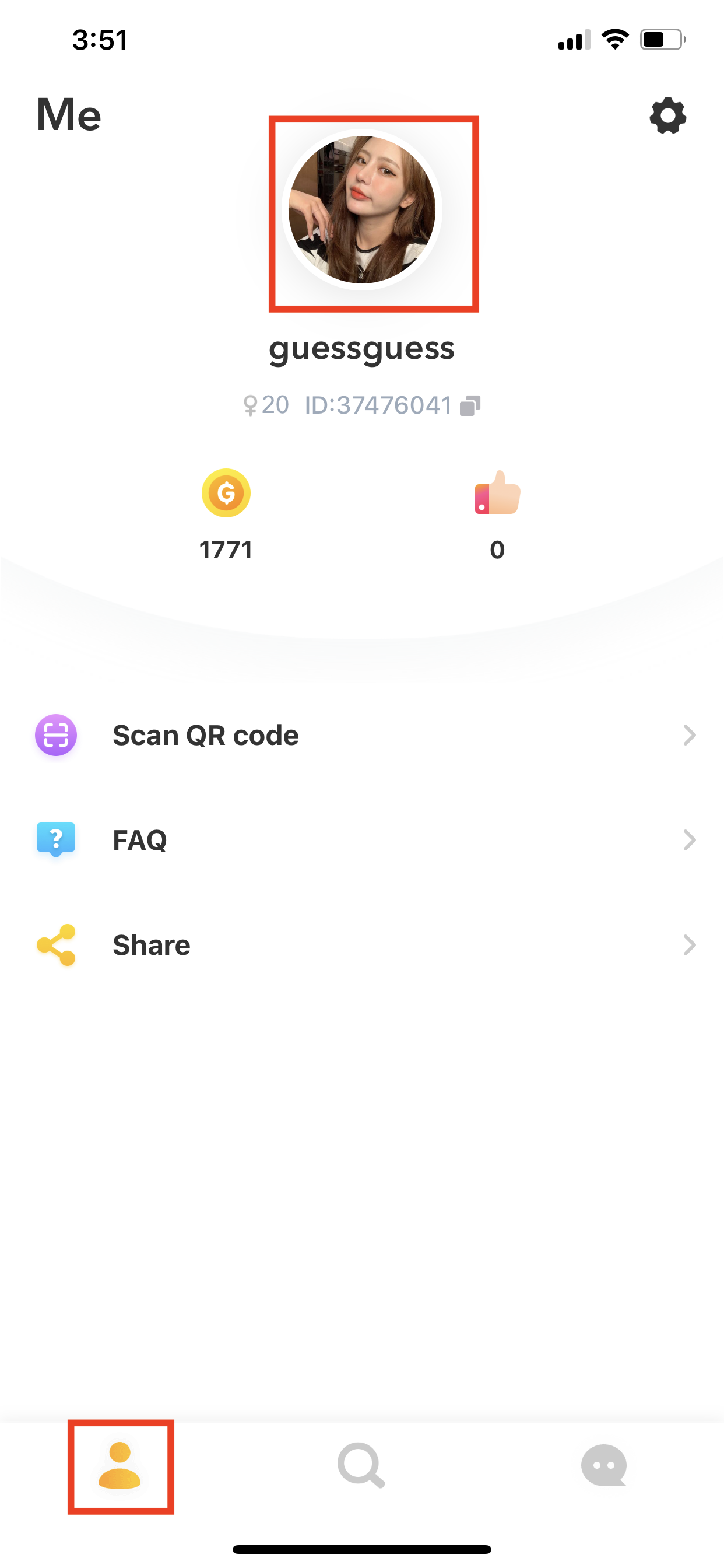
- Click on your profile icon in the bottom left corner of the app
- Click directly on your name in order to edit your profile
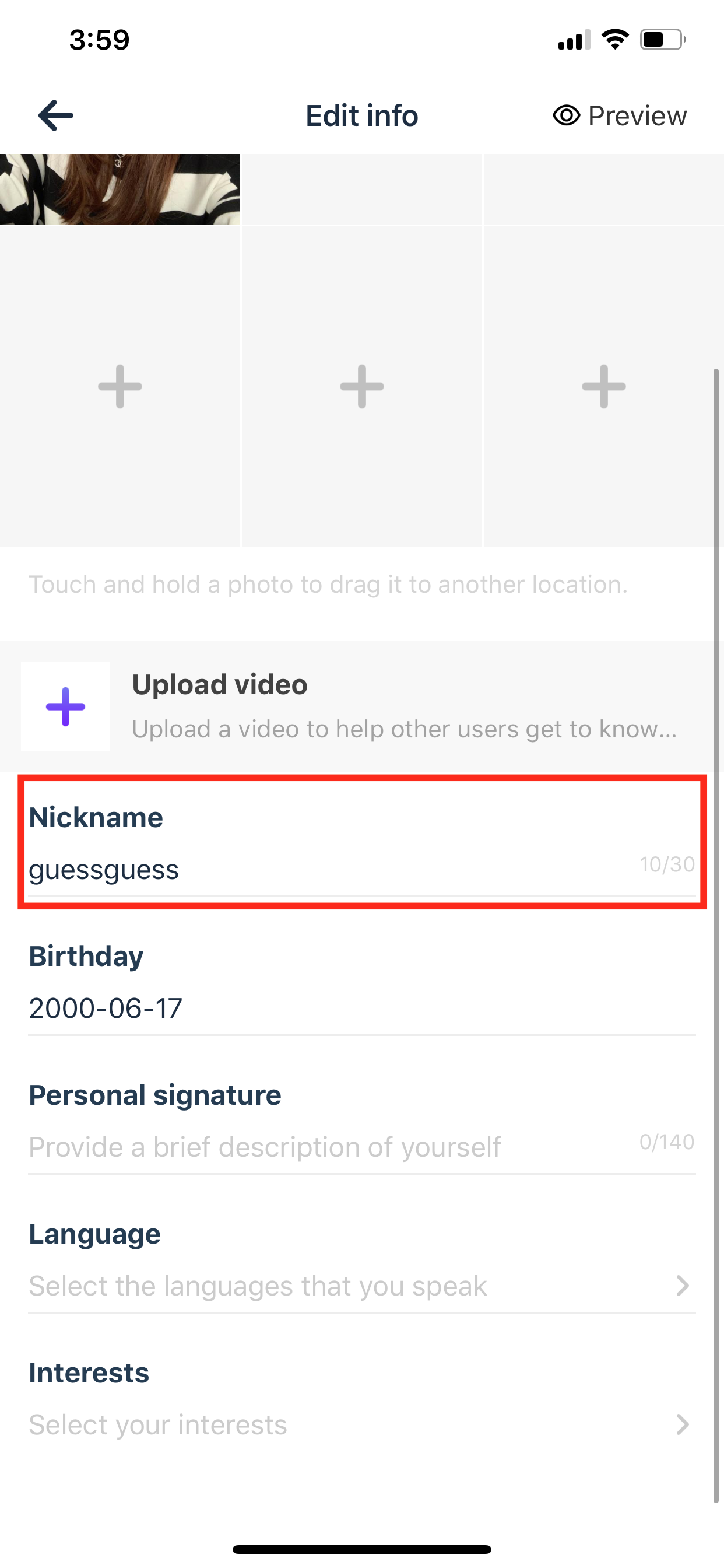
- Select Nickname
- Enter your name and click Save in order to save your changes
- Select Preview on the top right corner of the app to review the change
- Click the back button on the top left corner to return your main profile page of the
app